Your child and learning year
Create or select a learner. Set their current year and jurisdiction. Use Learning year to view Foundation–Year 10 topics or revisit earlier learning.
Real tracker walkthrough · No login needed to watch
Choose your learner, use a SkillrHub worksheet pack, and record one quick update. When you need a learning record, review the dates and print a helpful summary.
Recorded screens from the live portal, using clearly labelled synthetic Year 5 QLD data. No real learner records are shown.
Worksheet → Quick record → Printable summary
A silent walkthrough assembled from recorded live screens, with on-screen captions. No sound is needed. All learning entries are demonstrations; pack page references are illustrative.
Create or select a learner. Set their current year and jurisdiction. Use Learning year to view Foundation–Year 10 topics or revisit earlier learning.
Buy the matching pack through the printable button, or use one you already own. Topic guides help you explain the skill. There is no need to repeat the worksheet online.
Choose the pack, pages and support level. The date is filled in; minutes are optional. Add a short observation. Each entry keeps its learning year.
Keep selected dated samples and add their folder or page reference. Record a new session for further learning; edit an entry to correct it.
Choose the reporting period. Add your reflection and next goals, save them, and review the prompts for the learner’s state or territory.
Print or save PDF with all pages. Check the End of record line. Supply selected work samples and required official forms separately.
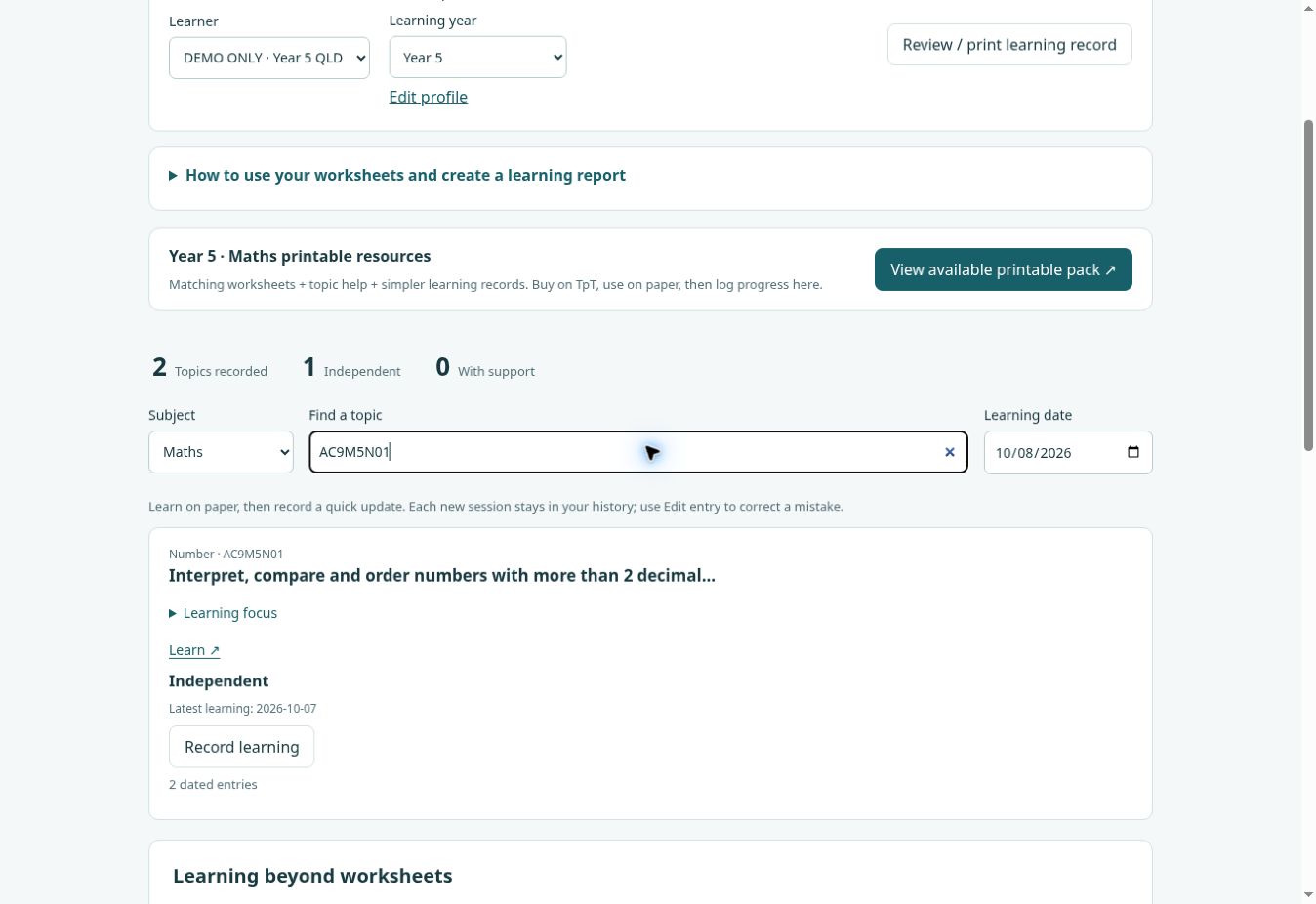
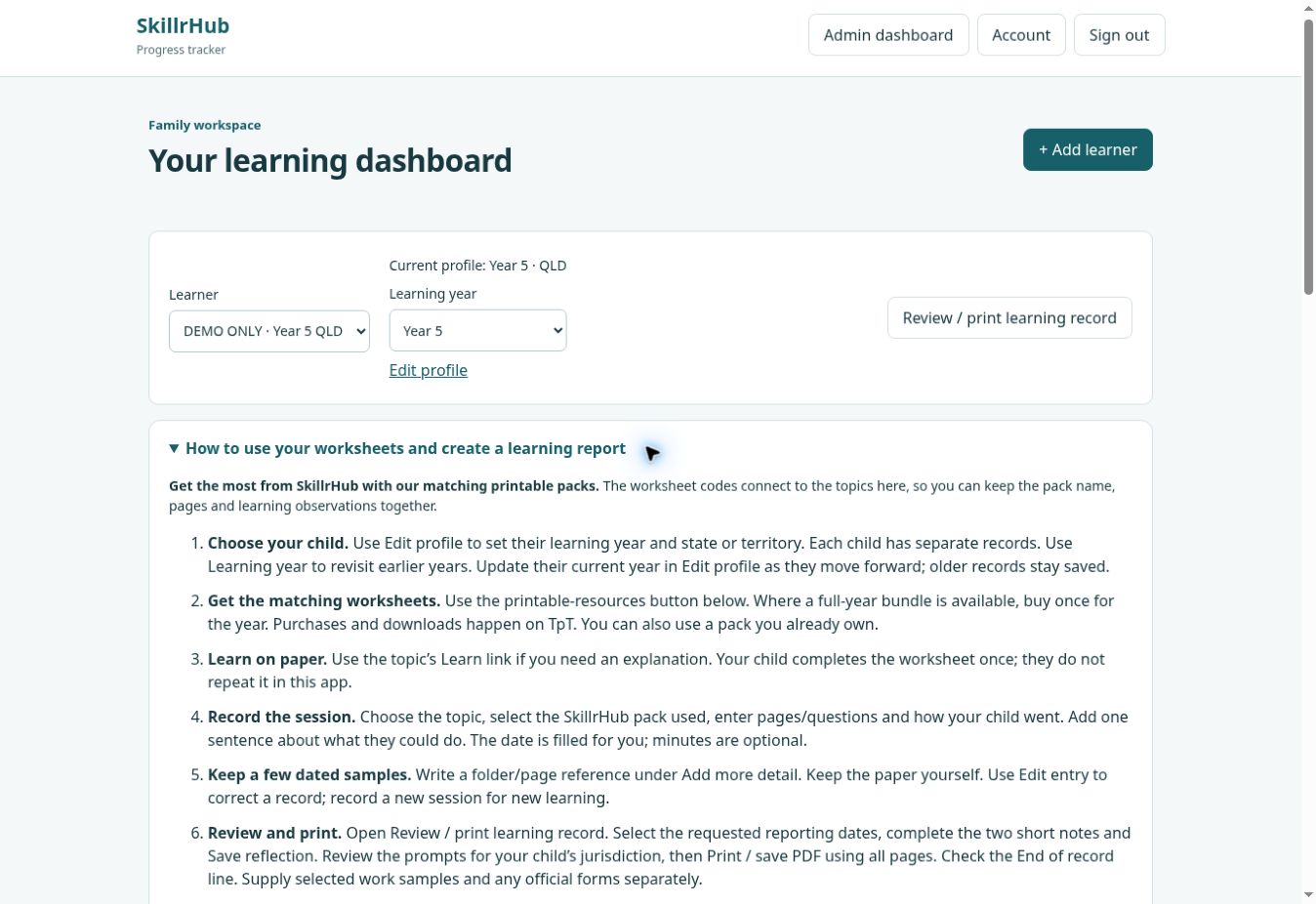
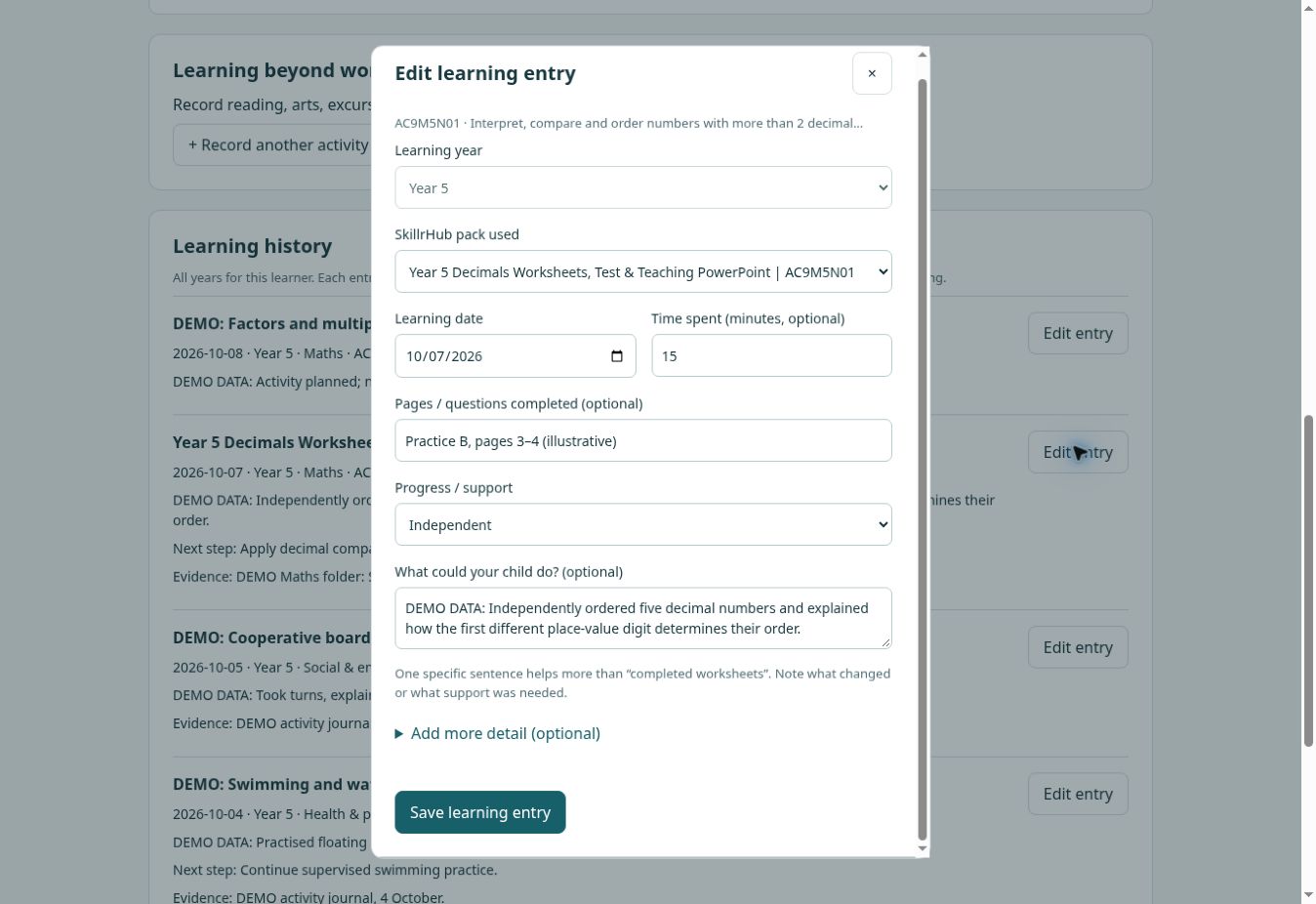
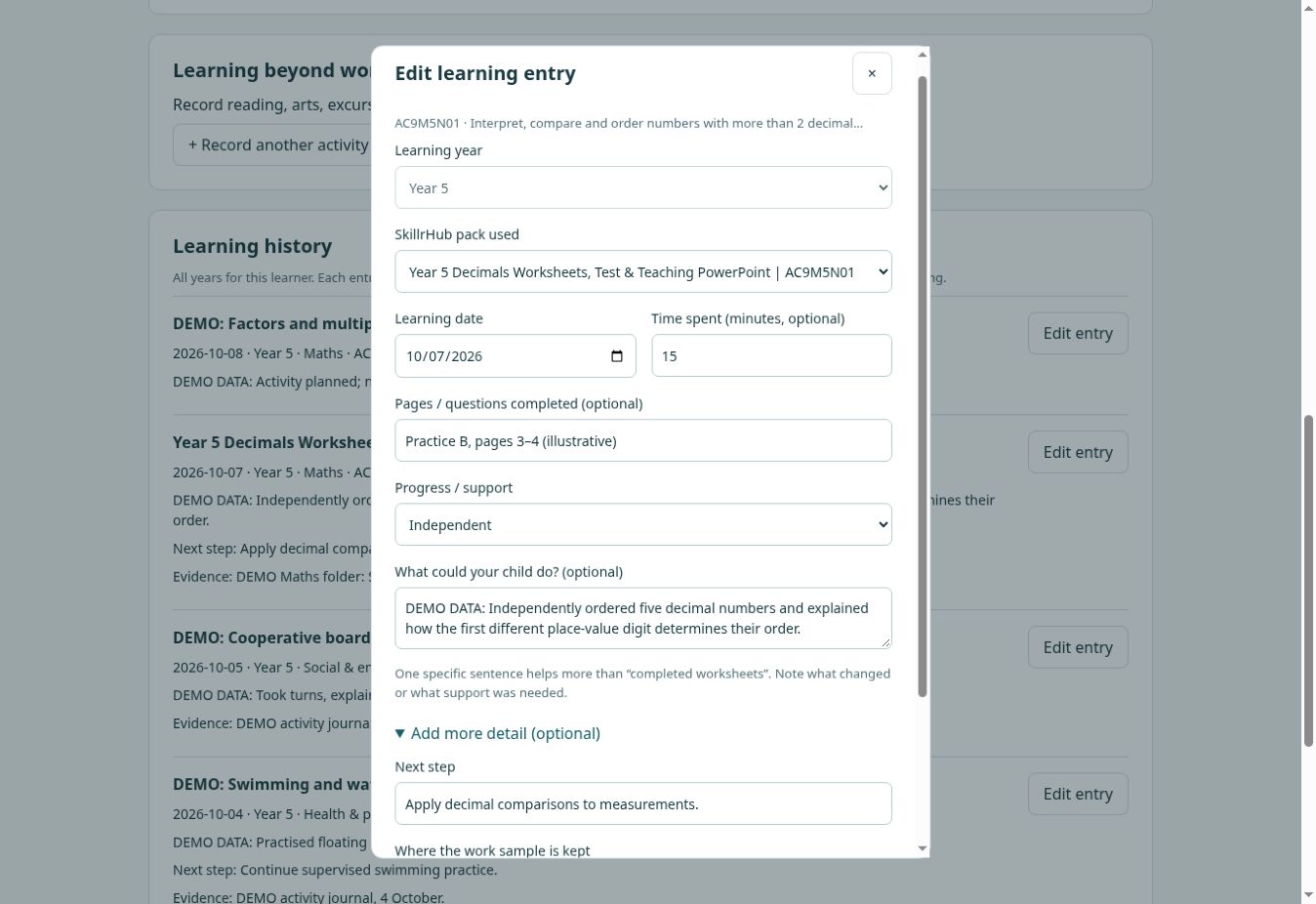
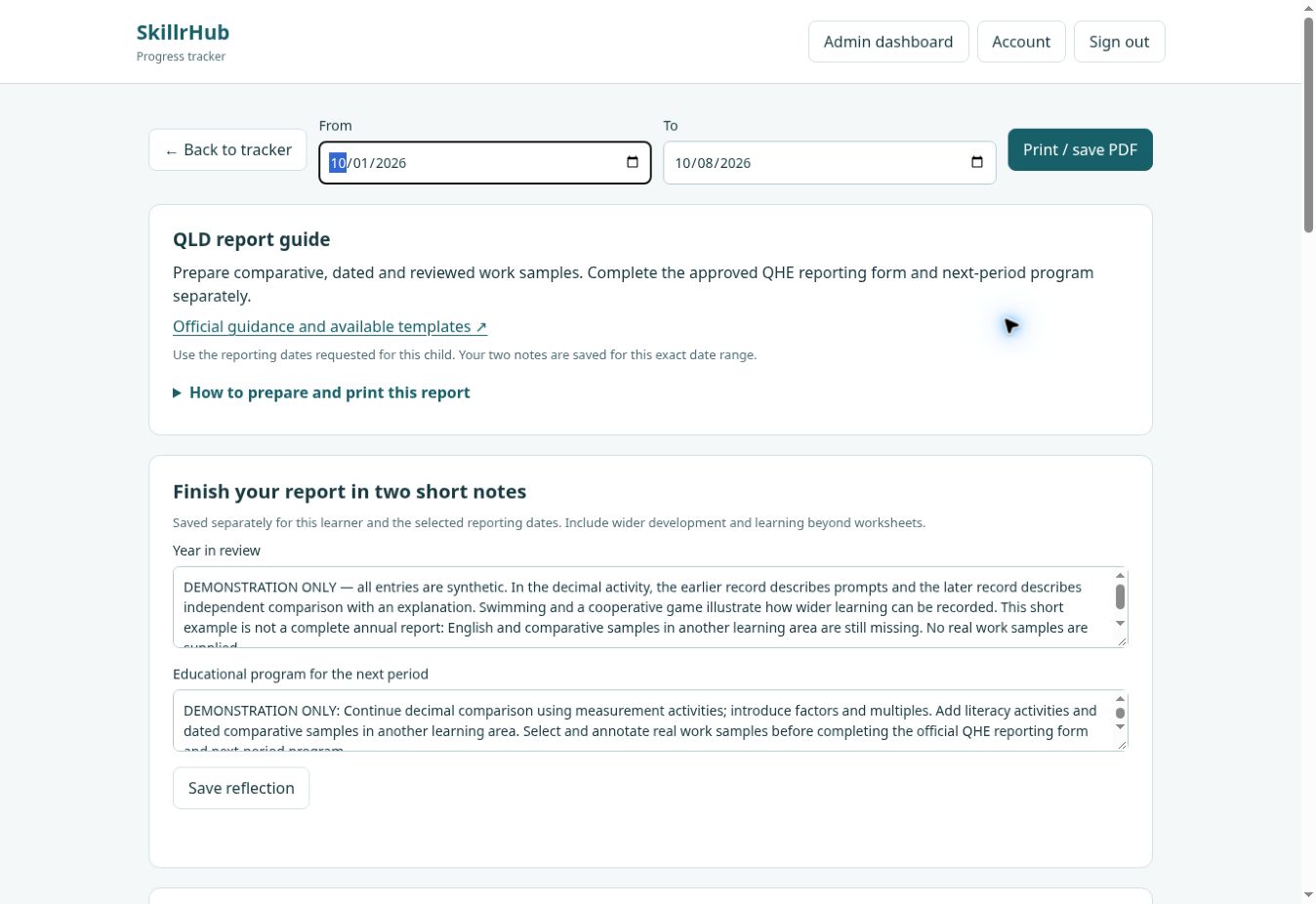
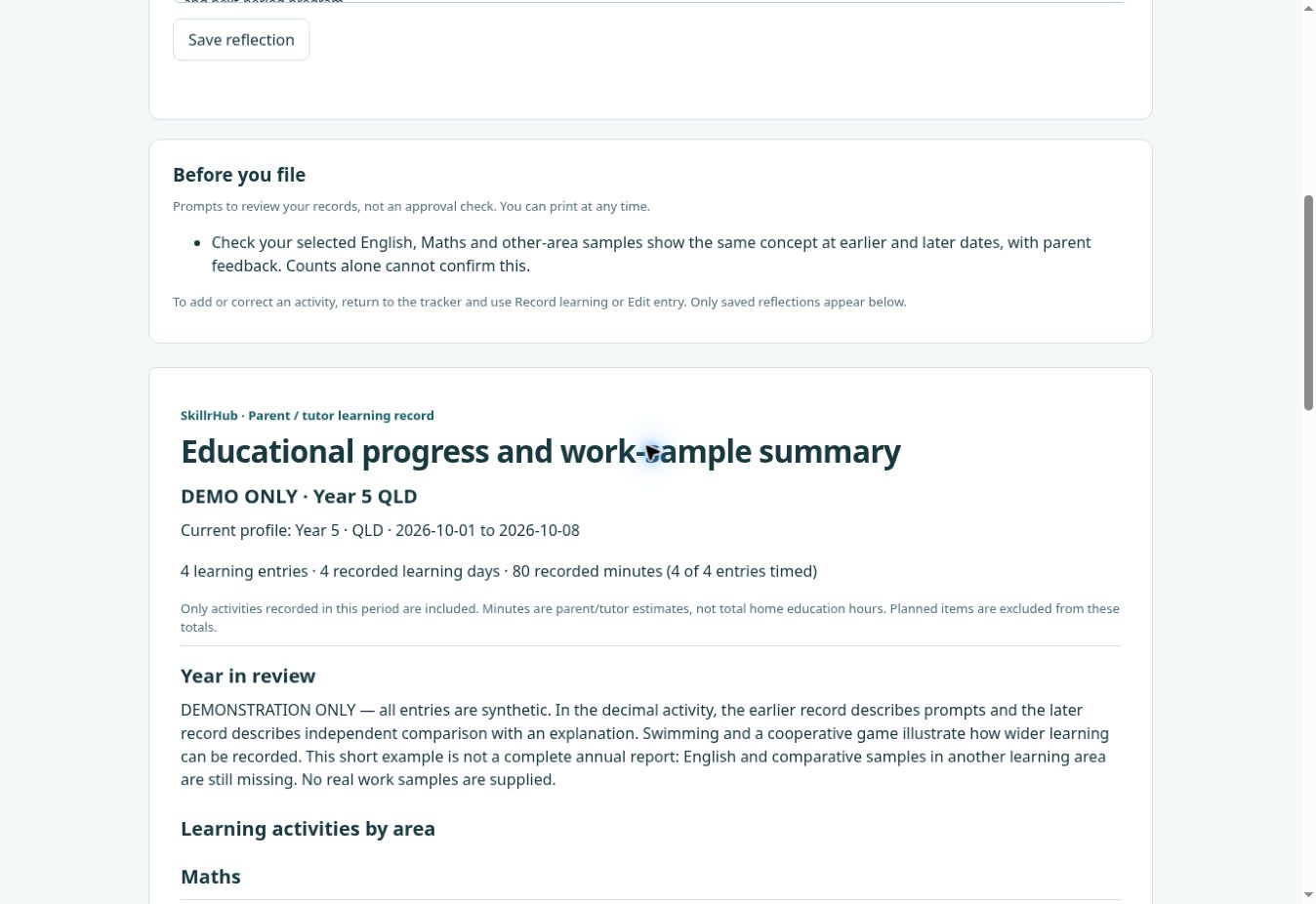
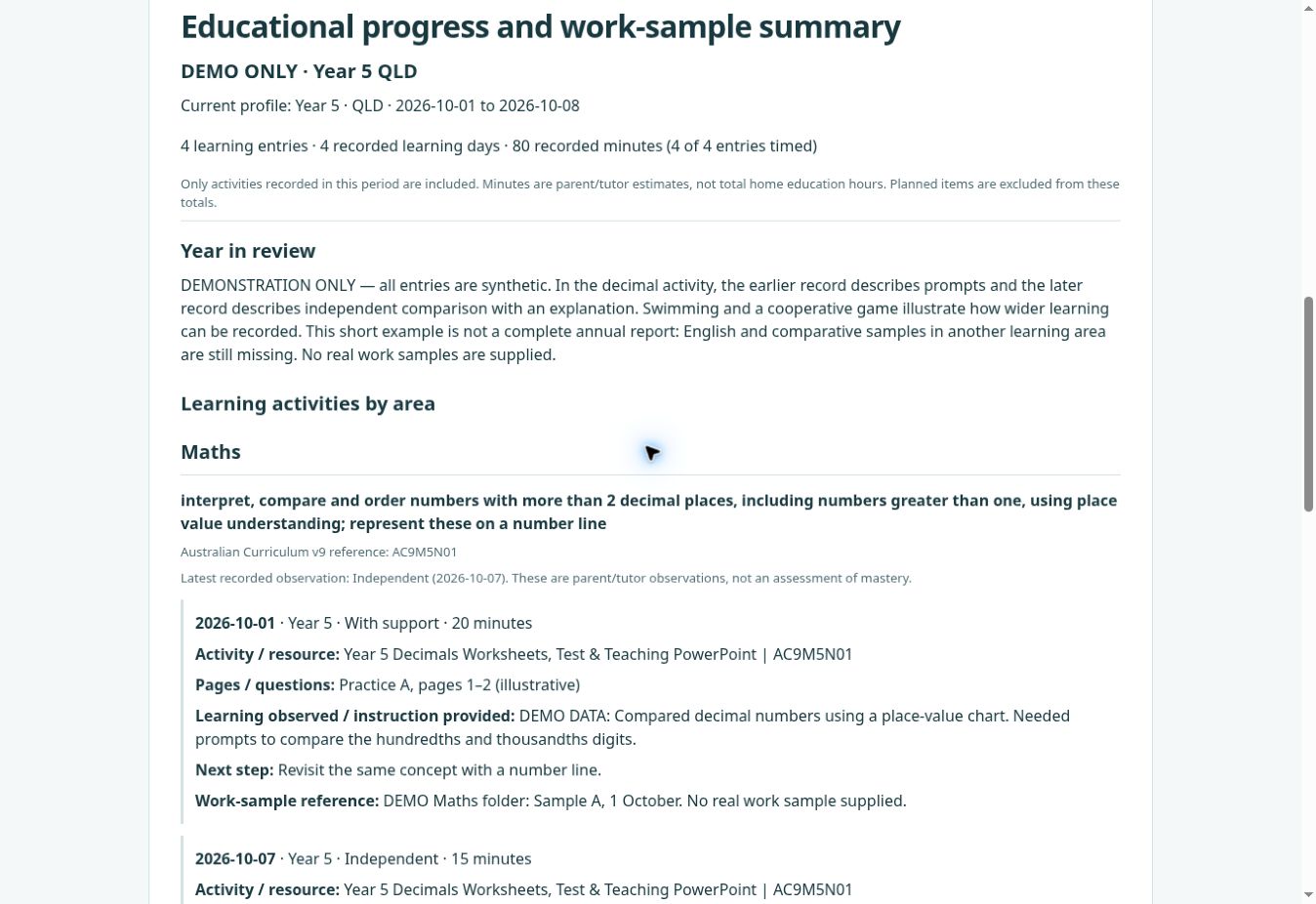
The sample result: four learning entries across four days, 80 recorded minutes, and one planned activity shown separately. Earlier and later decimal observations stay together. This short demo is not a complete annual report and includes no actual work samples.
Get the most from matching SkillrHub worksheets
Matching packs connect worksheet codes, topic explanations and your learning history. Free tracking is separate from worksheet purchases; pack availability varies by year and subject.